Navigating the Spanish administration can feel like a maze, but the Permanent Cl@ve is your golden ticket to getting things done online. Whether you are filing taxes, checking your Social Security contributions, or applying for a residency permit, this system saves you from endless queues.
However, security is a priority. There are times when you might need to update your credentials, or perhaps you’ve simply forgotten your password after a long summer break. In this guide, we’ll explain exactly how to manage your Permanent Cl@ve so you never lose access to essential government services.
What is the Permanent Cl@ve?
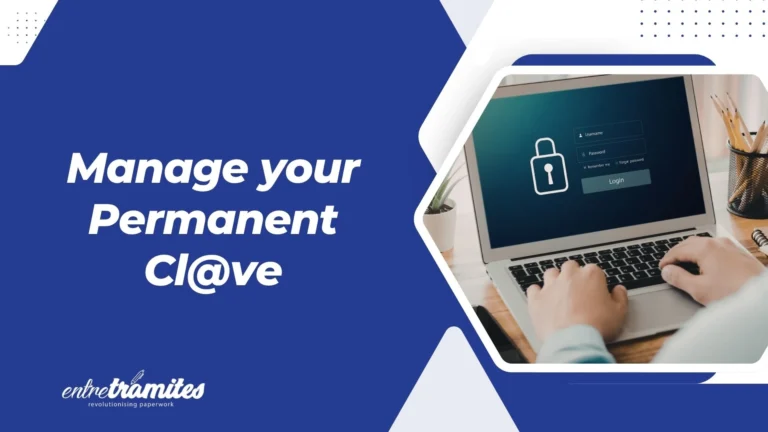
The Permanent Cl@ve is a digital identification system designed for citizens who frequently interact with the Spanish public administration. Unlike the “Cl@ve PIN” (which is for occasional use and expires after a few minutes), the permanent version uses a stable username (your DNI or NIE) and a password that you create.
For more sensitive procedures—such as signing a formal document—the system adds an extra layer of security. It will send a “One Time Password” (OTP) via SMS to your registered mobile phone. This dual-authentication ensures that even if someone knows your password, they cannot access your private data without your phone.
How to change the Permanent Cl@ve password
Security experts recommend updating your passwords periodically. In Spain, the system actually mandates a password change every two years for security reasons. If you are approaching that limit or simply feel your current password isn’t secure enough, here is how you do it.
Option A: Using your current credentials
If you still remember your old password, the process is instant:
- Access the “Change Password” section on the official Cl@ve portal.

- Log in using your DNI/NIE and current password.
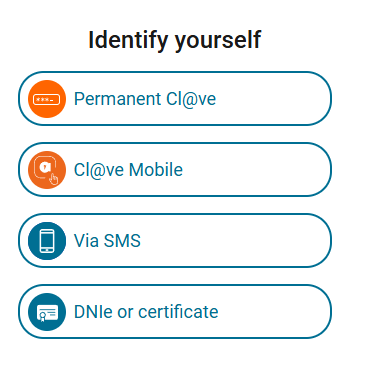
- Enter your new password twice, following the security requirements (usually a mix of capital letters, numbers, and symbols).
Option B: Using a Digital Certificate
If you have a Digital Certificate (Certificado Digital) installed on your browser, you can bypass the password entry entirely to set a new one. This is often the fastest “fail-safe” if you are already at your computer.
Forgot your password? Here is the fix
We’ve all been there—entering a password five times only to realize we’ve been blocked. If you exceed the maximum number of attempts, your Permanent Cl@ve will be temporarily suspended.
To fix this, you don’t necessarily need to go to a physical office. You can “reactivate” your account if you still have your Activation Code. This is the code provided to you on the day you first registered for the system (either on a physical paper or via a PDF).
The Step-by-Step Recovery:
- Go to the “Forgot Password” service on the Cl@ve website.
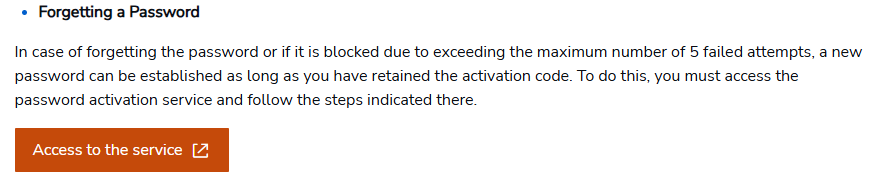
- Enter your DNI or NIE and your email address.
- Provide the Activation Code you were given during your initial registration.
- Follow the link sent to your email to set a brand new password.
What if you lost the Activation Code?
If the code is nowhere to be found, you have two choices:
- Request a new one: You can ask for a new activation code to be sent to your home address by post, though this can take a few days.
- Re-register: Use a Digital Certificate to re-register online instantly, or book an appointment at a Registro Cl@ve office to get a new code in person.
Keeping your contact details updated
The Permanent Cl@ve is only as good as the phone number linked to it. Since the system sends SMS codes for high-security tasks, you must update your records immediately if you change your Spanish mobile number.
In 2026, the Spanish Tax Agency and Social Security have streamlined this process. You can update your phone number or email address via the “cl@ve PIN” app or the official web portal using your Digital Certificate or by receiving a physical letter (CSV code) at your registered fiscal address.
If you are a foreigner living in Spain, ensure your NIE is always valid and linked to these services. If you renew your TIE and receive a new number (rare, as NIEs are usually permanent), you may need to update your Permanent Cl@ve profile to reflect the change.
Frequently Asked Questions (FAQs)
Can I change the Permanent Cl@ve password if I don’t have a Spanish phone number?
No. The system requires a verified phone number to send SMS security codes. If you have moved abroad and lost your Spanish SIM, you will likely need to update your registration with a new number using a Digital Certificate or in person.
How often does the Permanent Cl@ve password expire?
Currently, the system requires you to renew your password every 730 days (2 years). You will receive a notification when you log in as the expiration date approaches.
What is the difference between Cl@ve PIN and Permanent Cl@ve?
Cl@ve PIN is for one-time use via an app, ideal for occasional tasks. The Permanent Cl@ve is a username/password system designed for frequent users who need to access more complex administrative portals regularly.
If you need personalized assistance, at Entre Trámites we offer management and tax advisory services for freelancers and SMEs. You can contact us through this contact form for us to call you, or if you prefer, you can schedule a free consultation or write to us on WhatsApp.