In an era where efficiency is paramount, the Spanish Tax Agency (Agencia Tributaria) has fully transitioned into the digital age. For the 2025 tax year (to be filed in 2026), the online tax return is no longer just an option—it is the standard. Whether you are an expat, a local employee, or a freelancer, submitting your declaration electronically is the fastest way to secure your refund and stay compliant.
Below is your updated guide to navigating the Renta 2025 campaign with the latest 2026 requirements and digital tools.
Accessing Renta WEB in 2026
The 2025 Income Tax campaign officially kicks off on April 8, 2026. From this date, you can access the Renta WEB service through the Tax Agency’s Electronic Office.
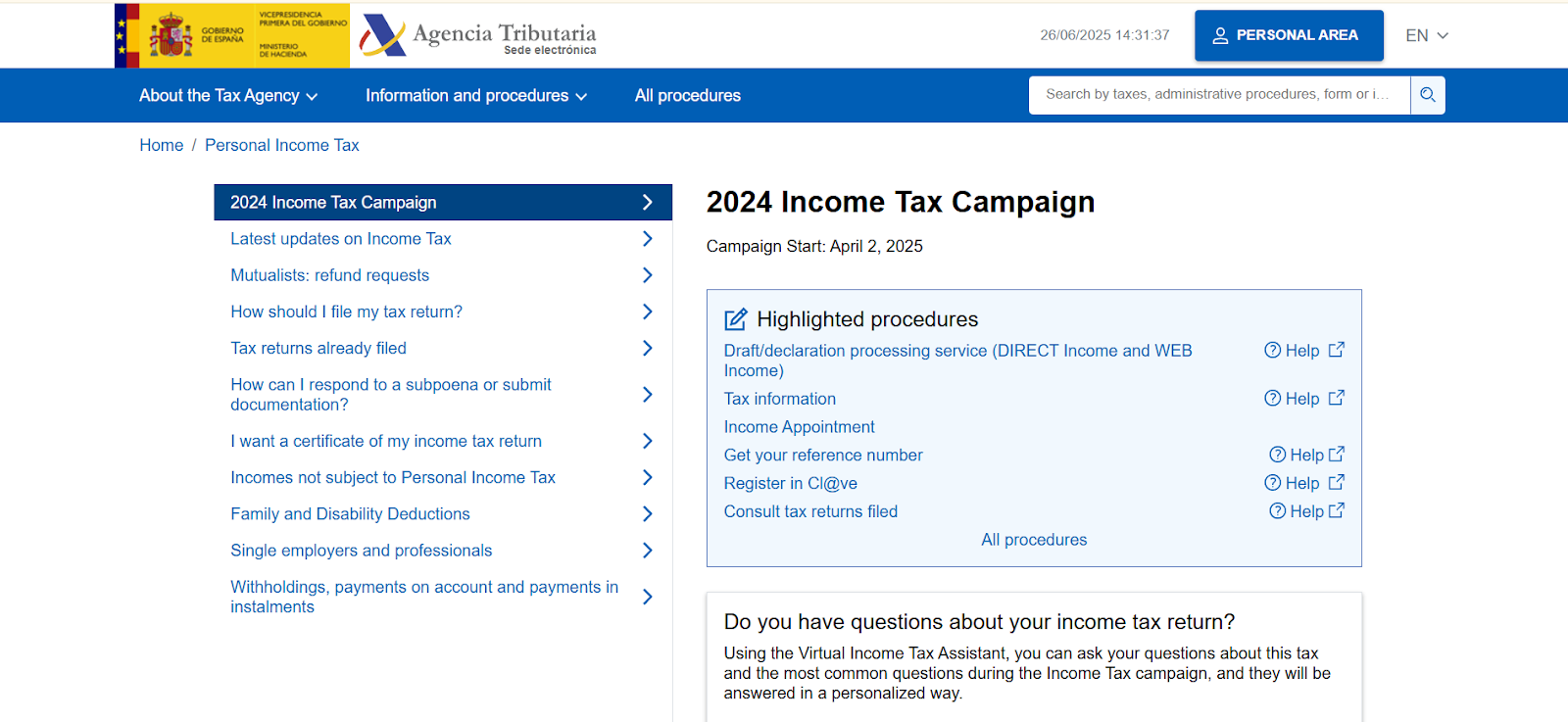
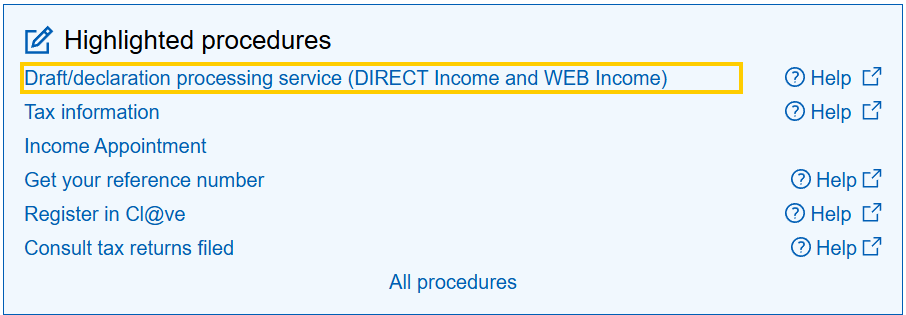
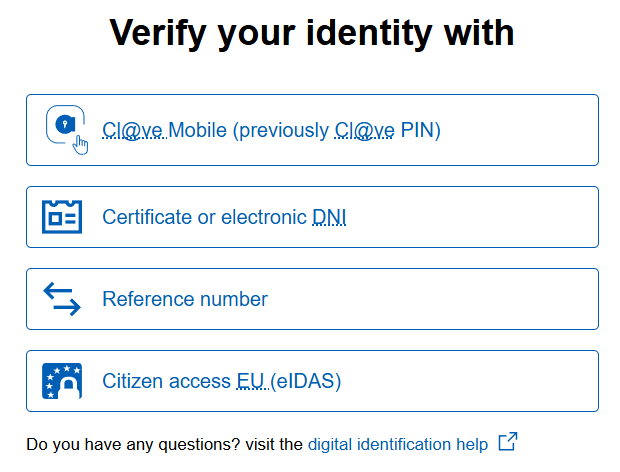
To start your online tax return, you must identify yourself using one of these three verified secure methods:
- Electronic Certificate or DNIe: The most robust method, highly recommended for business owners and long-term residents.
- Cl@ve Móvil: Use the official app on your smartphone for a passwordless, secure login.
- Reference Number (RENØ): A 6-character temporary code. You can obtain this by entering your NIE and the value from Box 505 of your previous year’s tax return. Note that for 2026, the system allows you to generate a new reference up to 10 times per day if needed.
Step 1: Validating Personal and Family Data
Before the system calculates a single euro, you must confirm your “Fiscal Residence” and family status as of December 31, 2025.
- Marital Status: If you got married or divorced during 2025, you must update this now.
- Joint Filing: If you are married, the system will ask for your spouse’s authorization (via their own Cl@ve or Reference Number) to calculate whether a joint declaration (declaración conjunta) is more beneficial for you.
- Children/Dependents: Ensure all descendants are correctly listed to trigger the relevant personal allowances.
Step 2: Incorporating Your 2025 Tax Data
Once you enter the portal, the system will automatically load “Fiscal Data” provided by your employers, banks, and the Social Security office.
- Employment & Professional Income: Check your gross salary and the withholdings (retenciones) already paid.
- Investments: For 2026, the Tax Agency is specifically cross-referencing cryptocurrency data and digital asset sales. If you traded on platforms like Bizum for business purposes, ensure these reflect your actual records.
- Rental Income: If you rented out a property (including short-term holiday lets), you must manually verify these amounts, as they are often missing from the automatic draft.
Step 3: Validating and Correcting Errors
Before you finalize your online tax return, always click the “Validate” button. The system will categorize issues into two types:
New for 2026: Automatic Monitoring
The Tax Agency has increased its ability to detect inconsistencies in real-time. If the system flags an error regarding your residency or reported income from abroad, it is better to pause and consult a professional than to force a submission that might trigger an audit.
Step 4: Payment Methods and Installments
The result of your online tax return will be either “To be refunded” (a devolver) or “To be paid” (a ingresar).
- If you are due a refund: Simply verify your IBAN. The Agency typically issues refunds within one month, though they legally have until the end of the year.
- If you owe tax: You can pay via direct debit (domiciliación) until June 25, 2026.
- Fractional Payment: You can choose to split the payment—paying 60% upon submission and the remaining 40% by November 5, 2026, with no interest or surcharges.
Practical Example: Sarah’s Smooth Submission
Sarah is a remote worker who moved to Malaga in early 2025. In April 2026, she logged into Renta WEB using her Cl@ve Móvil. She noticed the draft didn’t include her rental expenses for her home office. She manually adjusted the fields, validated the document to ensure no errors were present, and submitted it on April 15. By May 10, her refund was already in her bank account.
Frequently Asked Questions
What is the final deadline for my online tax return in 2026?
The absolute deadline for all digital submissions is June 30, 2026. However, if you have a balance to pay and want to use direct debit, you must submit by June 25, 2026.
I made a mistake in my submitted return. Can I fix it?
Yes. You can use the “Modify declaration” option within the portal to submit a corrective statement. If the error favored the Tax Agency, you can request a refund of the difference.
What is Box 505?
Box 505 is the “Taxable Base” from your previous year’s return. It is the key “password” needed to generate your Reference Number if you don’t have a digital certificate or Cl@ve.
Filing your online tax return early is the smartest way to manage your finances in Spain. By using the digital tools available, you avoid the June rush, minimize the risk of technical errors, and—most importantly—receive your refund as quickly as possible.
If you need personalized assistance, at Entre Trámites, we offer management and tax advisory services for freelancers and SMEs. You can contact us through this contact form for us to call you, or if you prefer, you can schedule a free consultation or write to us on WhatsApp.